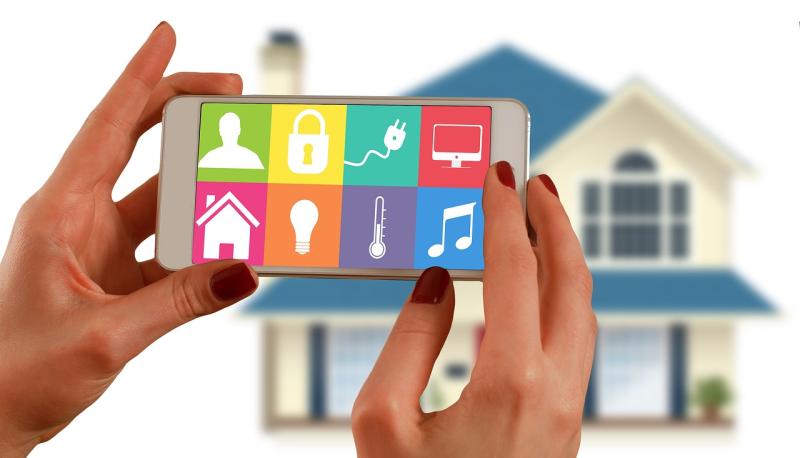
Wifi smart bulbs might sound like magic, but they actually work through some pretty simple tech! At the core, these bulbs connect to your home’s wifi network. This means you can control them using your smartphone, tablet, or voice assistant — all from anywhere you are in the house or even when you're not home!
So, how does it happen? Each smart bulb has a small chip inside that allows it to communicate with your wifi router. When you give the command through an app, the message travels over the internet to the bulb. It's like sending a text message; the command could be to turn the light on, change its color, or adjust its brightness!
What’s really cool is that many smart bulbs work with other smart devices in your home. For instance, you can set up routines like having your bulbs turn on when you arrive home or even sync them with music for a party vibe. The possibilities really expand when you think about how these bulbs can fit into your daily life.
If you're worried about installation, don't be! Most smart bulbs fit into standard light sockets, and setting them up is usually as easy as downloading an app and following a few prompts. In no time, you'll be controlling your lights with just a tap or a voice command!
Benefits of Using Wifi Smart Bulbs
If you're looking to brighten up your home while adding a bit of tech-savvy flair, Wifi smart bulbs are the way to go! These little gadgets come with a bunch of benefits that can really enhance your everyday life.
First up, convenience! With Wifi smart bulbs, you can control the brightness and color of your lights straight from your smartphone or tablet. Whether you’re snuggled up on the couch or out for a late-night snack, adjusting your lights is just a tap away. No more getting up to flip switches or searching for the dimmer!
Energy efficiency is another big perk. Many Wifi smart bulbs use LED technology, which means they consume less power compared to traditional bulbs. Plus, you can set schedules or use timers through your phone to ensure that lights aren’t on when you don’t need them. This can really help save on your electricity bill over time.
And let’s not forget about ambiance! With a variety of color options, you can change the mood of any room in seconds. Hosting a dinner party? Set the lights to warm white. Want to relax? Switch to soft blue tones. Choosing the right lighting has never been easier!
Lastly, many Wifi smart bulbs offer compatibility with smart home systems like Alexa or Google Assistant. Imagine simply asking your voice assistant to dim the lights or change their color! It’s a fun and futuristic way to make your home smarter and more enjoyable.
Setting Up Your Wifi Smart Bulbs
And that's it! Once you’ve got them set up, feel free to explore all the features. You can schedule lighting, set the mood, or even sync them with music. Enjoy lighting up your home with ease!
Troubleshooting Common Wifi Bulb Issues
Having trouble with your WiFi smart bulbs? You’re not alone! Many people run into common issues that can easily be fixed. Here’s a little troubleshooting guide to help you out.
1. Connectivity Problems: If your bulb isn’t connecting to your network, check these:
2. App Issues: If your smart bulb isn’t showing up in the app, consider these tips:
3. Dimming and Flickering: If your bulbs are flickering or not dimming properly, look into these solutions:
Just keep in mind that tech can be finicky sometimes, but with a little patience, you can usually sort it out quickly! Don't hesitate to reach out to customer support for more troubleshooting if needed. Happy lighting!